
Dispatch Software for Service Companies
Routing, assignment, live dispatch boards, technician GPS, and the prepaid workflows that protect every truck roll. Everything operators need to know to evaluate, implement, and optimize modern dispatch software.
What is dispatch software, really?
Dispatch software is the layer of your operation that decides who goes where, when, with what information, and in what order. For most service businesses, it replaces three things at once: the dispatcher's whiteboard, the dispatcher's group chat, and the dispatcher's memory.
That description sounds simple. The hard part is everything that sits underneath it — the workflows that make a dispatch board reliable on a Friday afternoon when six trucks are committed, four new calls are stacking, two techs are running long, and one customer is calling back to cancel. Dispatch software is what stops Friday afternoon from breaking your shop.
Why this hub exists
Every guide in this section answers one question: how do I run a tighter dispatch operation tomorrow than I did today?
The categories of dispatch software in 2026
If you're shopping, it helps to know the landscape. Dispatch tools fall into three buckets, and they solve different problems:
Legacy contractor suites
Heavyweight platforms built in the 2000s and 2010s for large home-service shops: ServiceTitan, FieldEdge, FieldPulse-era tools. Comprehensive feature sets, deep accounting integration, strong invoicing — and corresponding price tags (often $300–$500+ per user per month, with $5K–$15K onboarding). Best fit: 20+ truck shops with dedicated office staff and the appetite for a 6–12-month implementation.
Modern home-service CRMs
The 2015–2022 generation: Jobber, Housecall Pro, Workiz. They blended CRM, scheduling, invoicing, and basic dispatch into something a 3-person shop could actually use without IT help. Excellent for recurring-service trades (lawn care, pool service, regular HVAC maintenance) where the customer relationship is the asset. Less optimized for emergency dispatch where the customer is one-and-done.
Prepaid-dispatch platforms
The newest category, designed specifically around the workflow that solves cancellations and unpaid calls: collect the service-call fee before the truck rolls. PreDispatch sits here. Best fit: emergency trades — locksmith, towing, roadside, HVAC after-hours, plumbing emergency — where the dispatcher's job is to filter serious customers fast, not to manage a long customer relationship. See our full evaluation guide →
Core features that actually matter
Vendor demos will show you 40+ features. Most operators only use about 8 of them daily. Here are the eight that determine whether a dispatch platform earns its monthly fee.
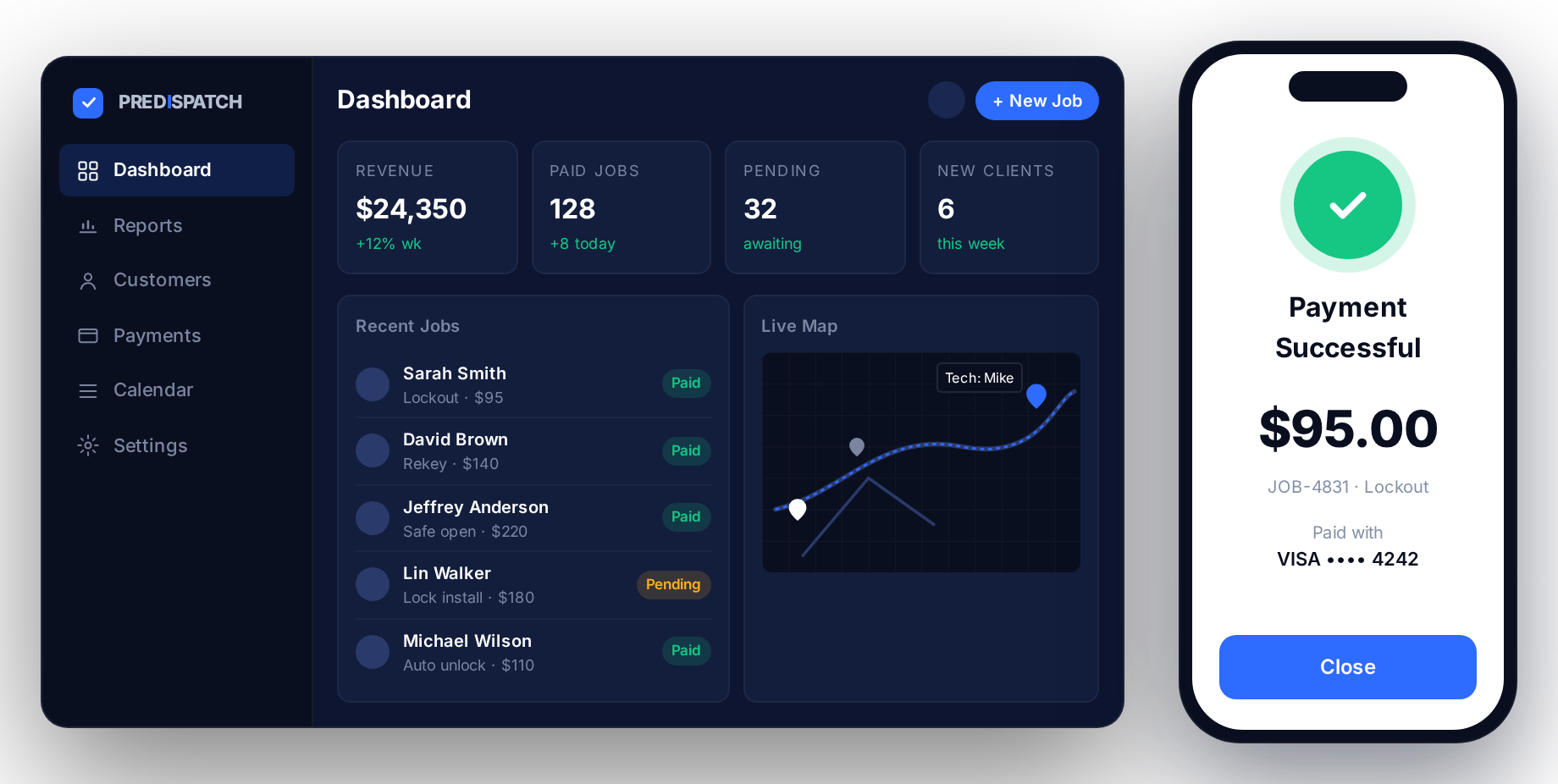
- Live dispatch board. One screen, all jobs, color-coded by status (pending, paid, en-route, on-site, complete). The dispatcher should never have to refresh anything.
- Auto-assignment by proximity. When a call comes in, the system suggests the closest available tech. The dispatcher overrides 20% of the time, accepts 80%.
- Two-way technician app. Job tickets push to the tech; status updates push back. No more "where are you" phone calls.
- Live GPS tracking. For dispatchers and for customers. The customer-facing "where's my tech" link cuts inbound calls by 30–40%.
- Payment-before-dispatch. SMS-delivered payment links tied to the job's status, so a truck can't be marked dispatched until the deposit clears.
- Drag-and-drop scheduling. Moving a job between techs or time slots should take one second, not a phone call.
- Customer history at the call. When the phone rings and the dispatcher hears the address, the previous-job context loads before they say hello.
- Reporting that fits on one page. Daily revenue, tech utilization, cancellation rate, unpaid-call rate, average response time. Five numbers, no dashboards-of-dashboards.
The dispatch workflow, end to end
Whatever platform you pick, the underlying workflow looks the same. Modern dispatch software automates the handoffs between these stages so dispatchers run more calls without burning out.
Intake
Call rings in. Dispatcher captures address, service type, and customer details. Software pulls history if it's a repeat. The whole intake should take 60–90 seconds.
Confirm & collect
Dispatcher quotes the service-call fee, sends the prepaid link, and waits for payment confirmation. This is the step legacy platforms skip — and it's where the cancellation problem lives.
Assign
Software proposes the closest tech with capacity. Dispatcher accepts or overrides. Job pushes to the tech's app with full context.
Track
Tech rolls; status updates flow to the dispatch board and to the customer's tracking link. Dispatcher monitors exceptions, not every job.
Close
Tech finishes work, collects balance on-site, captures signature, marks complete. Job auto-invoices and syncs to accounting.
What to evaluate when you buy
Vendors will demo for hours. To shortcut the buying process, force every platform to answer the same five questions in your shop's context. The pattern you'll see is that most vendors are strong on three and weak on two — and the two they're weak on usually predict whether the platform is right for you.
- What does payment-before-dispatch look like in your platform? If the answer involves a third-party Stripe integration you maintain yourself, that's not the same as a native workflow.
- Show me the dispatch board on a Friday afternoon — 8 jobs in flight, 3 stacking. Watch how cluttered it gets. Watch how many clicks it takes to reassign one.
- What happens when a tech's phone dies? Some platforms fall apart; some have offline modes; some let the dispatcher push from the office app.
- How do you handle a refund? One-click is the right answer. Multi-step is a 12-hour-per-week problem at scale.
- What's the actual all-in monthly cost? Per-user, per-truck, processing fees, setup amortized. Most "starting at" numbers double in real deployment.
Dispatch Software Resources
Dispatch software guides
Practical guides for choosing, implementing, and improving dispatch software for mobile service businesses. More resources are coming soon.
10 Best Dispatch Software for Mobile Service Companies in 2026
Compare the leading dispatch platforms for mobile service businesses — features, pricing, operational fit, and which type of company each platform serves best.
Read →How to Automate Technician Dispatching
The handoffs that should never touch a dispatcher again — and the ones you absolutely should keep manual.
Coming SoonWhy Prepaid Dispatch Is the Future of Field Service Software
The category shift redefining how mobile service companies operate.
Coming SoonHow to Manage Emergency Service Calls Efficiently
The dispatch playbook for trades where every call is urgent and most are first-time customers.
Coming SoonSetting Up a Live Dispatch Board That Doesn't Lie
The four columns every dispatch board needs — and the three statuses most shops forget to track.
Coming SoonDispatch Board vs. Spreadsheet: When to Upgrade
The five signals your Google Sheet is costing you more than software would.
Coming SoonRouting Optimization for Multi-Truck Operations
Drive-time math, time-window stacking, and the routing rules that actually move the needle past 5 trucks.
Coming SoonHow to Hire and Train a Service Dispatcher
The role profile, the interview questions, and the 30-day training plan that produces a dispatcher who doesn't crack.
Coming SoonThe 5 Dispatch KPIs Every Service Owner Should Watch
Time-to-dispatch, utilization, cancellation rate, unpaid-call rate, NPS — and how to instrument each one.
Coming SoonDispatch Software Pricing, Explained
Per-user vs. per-truck vs. flat-rate — and why the "starting at" price is almost never what you pay.
Coming SoonWhat to Look for in a Technician Mobile App
The 12 features that determine whether techs actually use the app — or work around it.
Coming SoonThe Color System for a Dispatch Board That Reads at a Glance
Why your dispatcher squints — and the 4-color system that fixes it in an afternoon.
Coming SoonHow to Migrate Dispatch Software Without Killing a Week
The 30-day, two-track migration plan: data on weekends, workflow on weekdays, no all-hands cutover.
Coming SoonCalculating the ROI of Dispatch Software
The four numbers to plug into your spreadsheet — and the trap most owners fall into when they only count saved hours.
Coming SoonSee modern dispatch software in action.
PreDispatch is the prepaid-dispatch platform built for emergency and mobile service. Live dispatch board, payment-before-dispatch, tech app, and routing — in one tool.
FAQs
Common questions about dispatch software
What's the difference between dispatch software and field service management software?
Dispatch software is one piece of field service management (FSM). FSM is the umbrella — CRM, invoicing, inventory, payroll, dispatch. If your bottleneck is the moment of dispatching a tech to a job, you need dispatch software. If your bottleneck is everything else, you might need an FSM. Many shops start with dispatch and add the rest over time.
Can I run dispatch software with one truck?
You can, and many one-truck operators do, but the ROI math gets tighter. The single-truck case is mostly about not missing calls and not losing track of jobs — both real problems. Past 3 trucks, dispatch software stops being optional.
How long does dispatch software take to set up?
Modern platforms: same-day. Legacy contractor suites: 4–12 weeks with implementation consultants. PreDispatch onboarding takes a single afternoon: connect Stripe, import your customer list, train your dispatcher on the new prepaid flow, go live.
Do I need separate software for accounting?
Most dispatch platforms integrate with QuickBooks Online and Xero. PreDispatch syncs paid jobs and invoices nightly. You'll still keep your accountant — you just won't be hand-keying anything.
What about call tracking and lead capture?
Dispatch software starts when a call lands in your queue. Upstream — Google Ads, call tracking, lead routing — usually lives in CallRail, CallTrackingMetrics, or similar. Good dispatch platforms accept inbound from any of those via webhook so the lead lands pre-tagged.