

Key Takeaways
Good HVAC dispatch software should make scheduling clearer, keep technicians moving efficiently, and give customers fewer reasons to cancel. The best choice is the system that fits your actual workflows rather than the one with the longest feature list.
- Replace scattered calls, texts, and spreadsheets with one dispatch workflow.
- Match jobs to technician availability, skills, and service areas.
- Use confirmations and arrival updates to reduce avoidable cancellations.
- Consider payment or deposit collection before sending a technician.
- Roll out the software gradually and measure results from the first month.
Understand what HVAC dispatch software should solve
HVAC companies rarely lose time because one person cannot make a calendar entry. They lose it when information is split between calls, texts, paper notes, and several disconnected calendars. HVAC dispatch software should bring those decisions into one visible workflow while preserving enough flexibility for emergencies and changing job durations.
A useful system also connects office decisions to what happens in the field. When dispatchers can see job status, technician location, and customer details without chasing updates, they can make better choices and communicate more honestly with customers.
Replace manual scheduling and phone-based coordination
Manual coordination creates small delays that compound throughout the day. A dispatcher may spend several minutes confirming a technician’s location, checking whether a part is available, and calling the customer again before a job can move forward. A shared schedule with clear job ownership reduces that back-and-forth.
The goal is not to remove judgment from dispatching. It is to give the dispatcher a dependable source of information so judgment is applied to exceptions instead of routine data gathering.
Improve technician utilization and travel efficiency
A full calendar does not necessarily mean a productive day. Long gaps, unnecessary cross-town trips, and poorly sequenced appointments can leave technicians busy but unprofitable. Review whether the system makes travel, appointment duration, and technician availability visible together.
A practical evaluation should ask whether dispatchers can quickly identify open capacity, avoid overlapping commitments, and adjust the day when a repair takes longer than expected. These are simple controls, but they directly affect how many useful jobs a team can complete.
Reduce missed appointments and last-minute cancellations
Cancellations often begin before the appointment itself. A customer may not understand the arrival window, forget the booking, or decide the problem is not urgent after all. Clear confirmations, reminders, and easy rescheduling give the customer a reasonable path to stay on the calendar.
Payment before dispatch can add another layer of commitment when it fits the service and local requirements. PreDispatch describes a workflow in which a payment link is sent to the customer and technicians are dispatched after payment clears, with job details delivered through a mobile app.
Connect dispatch decisions to revenue protection
Every uncompleted dispatch has a cost: office time, fuel, technician availability, and a lost opportunity to serve someone else. That does not mean every customer should face the same payment policy. It means the business should decide deliberately when a deposit or prepaid dispatch fee is appropriate.
Track the cost of cancellations alongside their frequency. A small reduction in no-shows can matter more than a minor scheduling convenience if it protects paid technician hours and prevents wasted travel.
Evaluate the core scheduling and dispatch features
Feature lists can make every platform look similar. The useful comparison is more specific: can the software support the way your team books work, handles interruptions, and closes the loop after each visit? Test common jobs, urgent calls, maintenance visits, and rescheduled appointments rather than relying on a sales demonstration.
Also consider who needs to see the schedule. A small office may need one shared board today and several service areas later. The system should make that growth manageable without forcing staff into complicated workarounds.

Compare drag-and-drop scheduling with automated assignments
Drag-and-drop scheduling is valuable when a dispatcher needs to make a quick human decision. Automated assignments can help when there are many technicians, service areas, or simultaneous requests. The right balance depends on whether your business prioritizes tight control, speed, or a mixture of both.
Ask how easily a dispatcher can override an assignment and whether the change remains visible to everyone. A sophisticated automation that staff do not trust will not improve the schedule.
Check support for emergency calls, recurring maintenance, and estimates
Different job types place different demands on a calendar. Emergency calls need rapid triage and flexible time windows, recurring maintenance needs repeatable scheduling, and estimates may require a visit without a confirmed repair. Each should be easy to distinguish from a standard service call.
For emergency work, define a clear escalation path before choosing software. A practical emergency HVAC guide can help teams think through after-hours calls, diagnostics, upfront pricing, and what customers should do before a technician arrives.
Assess route optimization and real-time technician availability
Route tools are only useful when the underlying information is current. Technician status should show whether someone is available, traveling, on site, or delayed, while the route view should help the office recognize when a new job will disrupt the rest of the day.
Do not judge route optimization solely by the shortest distance. A slightly longer route may be better if it groups work by area, respects appointment windows, or matches a technician’s experience with the job.
Verify calendar visibility across teams and service areas
A shared calendar should answer basic questions quickly: who owns the job, where it is, when the customer expects service, and what happens next. If multiple teams work from different locations, check whether managers can see the right level of detail without exposing irrelevant schedules.
Use a test account or trial period to recreate a busy day. That reveals whether the calendar remains understandable when jobs move, technicians call out, and emergency work is added.
Look for tools that improve the customer experience
Customers usually judge the service before a technician arrives. They notice how quickly the company responds, whether the appointment details are clear, and whether anyone tells them about a delay. Dispatch software should support those moments without making office staff write every message from scratch.
Better communication also protects the schedule. When customers know what to expect, they are less likely to miss the visit or cancel because the arrival window feels uncertain.
Send appointment confirmations and arrival notifications
A confirmation should state the service date, expected window, address, and any preparation the customer needs to complete. An arrival notification can then narrow the expectation as the technician gets closer. These messages reduce preventable confusion, especially for customers managing work or family responsibilities.
Give customers a reliable way to update contact details and acknowledge the appointment. A message that is sent but never seen does not solve the underlying communication problem.
Offer self-service booking and rescheduling options
Self-service booking can reduce calls for straightforward appointments, while rescheduling options help customers stay engaged when the original time no longer works. Both should include safeguards against double bookings and unrealistic time windows.
Keep a human path available for unusual repairs and urgent situations. Convenience should not turn into a form that forces every customer through the same narrow process.
Track customer preferences, property details, and service history
A technician can work more effectively when the office passes along useful context: access instructions, equipment information, prior repairs, and customer preferences. This also keeps customers from repeating the same story to several people.
The information must be easy to find and simple to update. A large record that technicians cannot read on a phone is less useful than a smaller, well-organized history.
Use status updates to set accurate arrival expectations
Status labels should reflect real operating conditions, not optimistic guesses. “En route,” “on site,” and “job complete” mean different things to a customer, so staff should agree on when each status changes and who owns the update.
That consistency matters when a job runs late. An honest delay notice often preserves more trust than a vague promise that a technician will arrive soon.
Connect dispatch workflows to field operations
Dispatching works best when the office and field share the same job record. The technician should not need to call for information that was already collected during booking, and the office should not need to re-enter notes after every visit. This connection reduces paperwork while making the customer history more useful.
Look for mobile workflows that remain practical in driveways, mechanical rooms, and places with unreliable connectivity. The test is not how polished the office screen appears; it is whether a technician can complete the next step without friction.
Equip technicians with mobile access to job information
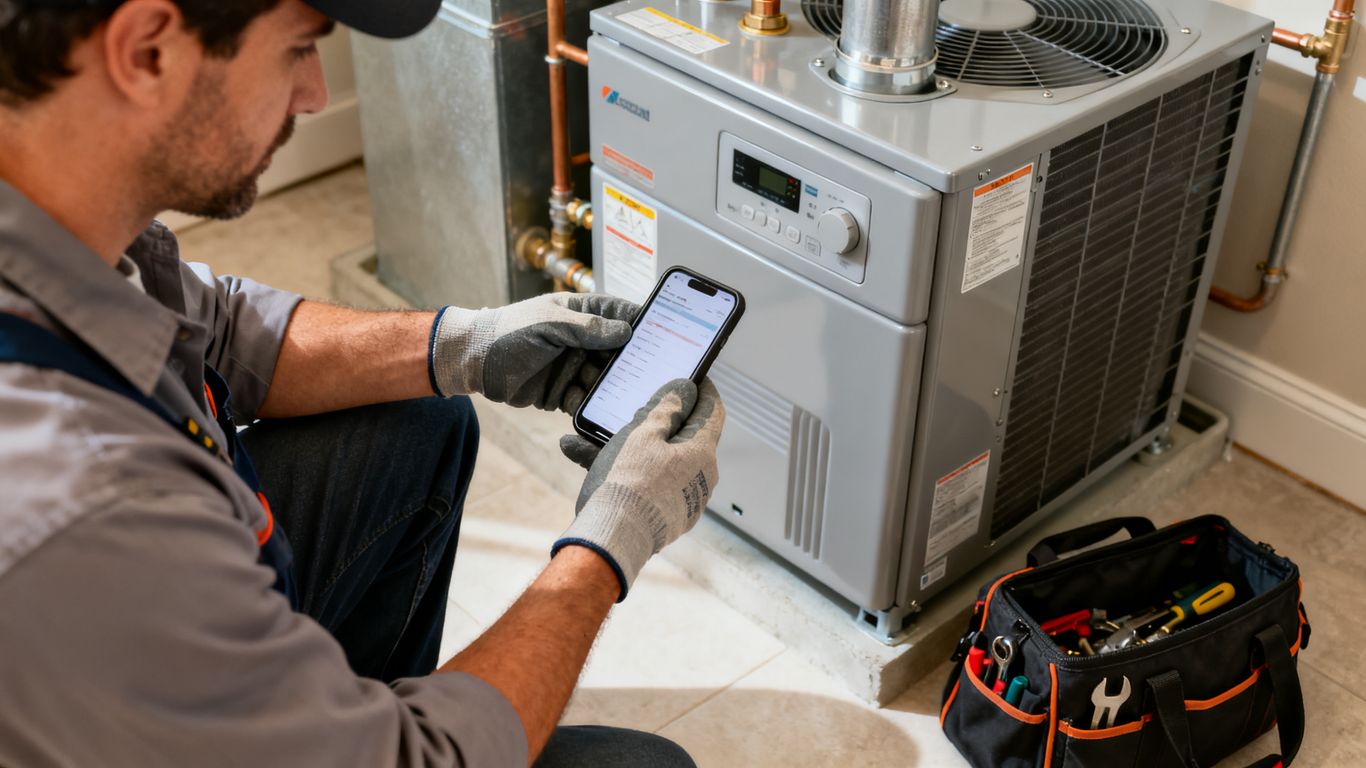
A mobile view should provide the address, customer contact details, work description, appointment window, and relevant history in a readable format. It should also let the technician update status without returning to a desktop computer.
Ask technicians to use the workflow during a realistic job simulation. Their feedback will reveal whether the system saves time or simply moves administrative work from the office into the truck.
Capture photos, notes, signatures, and equipment data
Field records are more useful when they are captured at the point of service. Photos can document equipment conditions, notes can explain the diagnosis, signatures can confirm approval, and equipment data can support future visits.
Set standards for what must be recorded and what is optional. Too little detail weakens follow-up work, while excessive required fields encourage rushed or incomplete entries.
Support digital estimates, approvals, invoices, and payments
A field workflow should make the next commercial step clear. Depending on the job, that may be an estimate, a customer approval, an invoice, or a payment request. Digital records can reduce delays caused by paper forms and duplicate data entry.
The office should still define when work may begin and who can approve exceptions. Software can present the process clearly, but operating rules keep it consistent.
Sync dispatch activity with accounting and customer relationship tools
When dispatch, customer records, and accounting are disconnected, staff may retype addresses, job totals, and payment details. Integration can reduce that repetition, but only if the fields and ownership rules are understood before setup.
For businesses already centered on QuickBooks, accounting-connected field service workflows are one area to examine. Evaluate exactly which service and financial data syncs, when it syncs, and how errors are handled.
Use HVAC dispatch software to reduce cancellations
Cancellation reduction begins with diagnosis. Some customers cancel because the price is unclear; others are waiting too long, cannot be present, or never felt committed to the appointment. A software workflow can make those patterns visible, but the business still has to decide which causes it can address.
The strongest process combines clear expectations with an appropriate commitment mechanism. It should feel fair to serious customers and practical for the office to administer.
Identify the operational causes of no-shows and cancellations
Start by reviewing recent cancellations rather than guessing. Compare the original booking channel, service type, lead time, quoted price, appointment window, and whether the customer received confirmation. Patterns often point to a process problem rather than a difficult customer.
Separate cancellations that the business caused from cancellations that were outside its control. That distinction keeps the corrective action focused and prevents staff from treating every lost appointment the same way.
Require prepaid dispatch fees when appropriate
A prepaid dispatch fee can filter out low-commitment callers before a technician spends time and fuel traveling to the property. It should be explained before payment, applied consistently, and designed around the business’s service model and applicable rules.
Prepayment is not a substitute for good communication. If the customer does not understand what the fee covers, the policy may create a different kind of friction.
Build a confirmation workflow with multiple customer touchpoints
A useful sequence might begin immediately after booking, continue with a reminder before the appointment, and end with an arrival update. Each message should add information rather than repeat the same generic sentence. The workflow should also provide a simple way to ask a question or reschedule.
For many teams, the sequence is easier to manage when it is written down as a small operating standard:
- Confirm the service details and arrival window after booking.
- Send a reminder early enough for the customer to reschedule.
- Request payment or a dispatch fee when the policy calls for it.
- Send an arrival update when the technician leaves for the job.
This sequence gives the office clear checkpoints and gives customers several chances to correct a misunderstanding. Adjust the timing after reviewing actual response rates rather than assuming one schedule works for every service type.
Measure cancellation rates by technician, service type, and lead source
A single cancellation percentage hides useful detail. Break the number down by technician, job category, booking source, neighborhood, and time between booking and appointment. Then compare the groups over a consistent period.
Use the results to improve the process, not to punish individuals automatically. A high rate for one lead source may indicate weak expectations at intake, while a high rate for one service type may reflect pricing or appointment-window confusion.
Compare software costs, usability, and scalability
Price should be evaluated against the cost of the current process. Include office labor, wasted trips, missed revenue, payment delays, training time, and the effort required to maintain several disconnected tools. A lower subscription can still be expensive if staff avoid using it.
Usability deserves equal attention. Owners and managers need visibility, but dispatchers and technicians need fast, repeatable actions. Ask both groups to test the product before making a commitment.
Separate subscription fees from implementation and transaction costs
Request a complete cost picture in writing. Subscription tiers may not include setup, data migration, additional users, payment processing, messaging, or premium support. These details matter more as the team grows.
Also ask what happens if the business adds a location or seasonal technician. A predictable pricing model makes expansion easier to plan than a low introductory price with unclear additions.
Estimate return on investment from saved office time and recovered revenue
Build a conservative estimate using your own numbers. Count the weekly hours spent coordinating jobs, the average cost of a wasted dispatch, and the number of cancellations that might be prevented. Do not treat a vendor’s case study as a guaranteed result for your company.
A simple comparison can keep the decision grounded:
| Cost or benefit | Current process | Software estimate | Evidence to use |
|---|---|---|---|
| Office coordination hours | Measure weekly | Estimate reduced hours | Time logs |
| Wasted dispatches | Count monthly | Estimate avoided trips | Job records |
| Uncollected job revenue | Review recent cases | Model recovered share | Payment history |
| Training and setup | Estimate staff hours | Confirm vendor scope | Proposal |
The table is useful only when the inputs are honest and conservative. Revisit the estimate after the first month with actual cancellation, utilization, and administrative-time data.
Evaluate onboarding, training, and customer support
A system is easier to adopt when the provider explains the setup sequence, imports needed data, and offers help during the first live jobs. Ask whether support is available when your office actually works, not only during standard sales hours.
Training should include dispatchers and technicians. A short session using generic examples may leave staff unprepared for a double booking, a late arrival, or a customer who needs to change the appointment.
Choose a platform that can grow with technicians and locations
Growth does not always mean a large enterprise deployment. It may mean adding a second dispatcher, another service area, more recurring work, or a seasonal technician. Confirm that permissions, calendars, reporting, and customer records can handle those changes without a separate manual system.
For broader market research, a service software buyer guide can help organize questions about route density, GPS visibility, self-booking, and field service management. Treat comparison material as a starting point, then validate each capability directly with the provider.
Plan a successful HVAC dispatch software rollout
Implementation is an operating change, not just an installation. The team needs agreement on how jobs are created, assigned, updated, completed, and reviewed. Starting with a manageable workflow gives staff room to learn without putting every customer interaction at risk.
Choose a rollout date that allows time for data cleanup and practice. Keep the old process available briefly as a controlled backup, but avoid running two systems indefinitely.
Map current scheduling and cancellation workflows
Document what happens from the first customer contact through payment and job completion. Include the exceptions: emergency calls, no-answer customers, technician call-outs, parts delays, and requests to reschedule.
This map exposes where information is lost and where a new status or notification would help. It also gives the team a baseline for measuring whether the new process is actually simpler.
Configure service areas, availability rules, and dispatch priorities
Set service boundaries, technician working hours, appointment durations, and priority rules before importing a large volume of jobs. Decide how the system should treat emergencies, callbacks, maintenance agreements, and jobs requiring particular experience.
Keep the first configuration close to current reality. You can refine it after seeing real scheduling behavior, but starting with unrealistic rules makes the software look unreliable.
Train office staff and technicians with real job scenarios
Practice with jobs your team recognizes, including a routine tune-up, an urgent no-heat call, a reschedule, and a repair requiring approval. Staff should rehearse the complete flow rather than learning isolated buttons.
Invite questions about edge cases and record the answers in a short internal guide. That guide becomes especially useful when a new dispatcher or technician joins the team.
Track KPIs during the first 30 days and refine the process
Choose a small set of measures: cancellation rate, no-show rate, technician utilization, on-time arrival, average response time, and time spent on coordination. Review them weekly alongside comments from staff and customers.
The first month is for adjustment, not perfection. If a reminder is ignored or a status is misunderstood, change the workflow, explain the reason, and measure again.
See PreDispatch in Action
If prepaid dispatch fits your cancellation problem, start a free trial and test the payment-before-dispatch workflow with a controlled set of service calls. Begin with one team, define the policy clearly, and compare the results with your existing process.
Conclusion
The right HVAC dispatch software brings scheduling, customer communication, field updates, and revenue decisions into a workflow your team can actually follow. Choose based on real jobs, test the cancellation process carefully, and improve the system with evidence from the first 30 days.
Frequently Asked Questions
What is HVAC dispatch software?
HVAC dispatch software helps a service business schedule jobs, assign technicians, track job status, communicate with customers, and maintain service records in one workflow.
How can dispatch software reduce cancellations?
It can send confirmations and reminders, provide clearer arrival expectations, simplify rescheduling, and support payment or deposit policies when those are appropriate for the business.
Should every HVAC company require a prepaid dispatch fee?
No. The decision depends on the service type, customer expectations, local requirements, and the company’s risk of wasted travel or unpaid work.
What scheduling features matter most for a small HVAC company?
Clear calendar visibility, technician availability, easy rescheduling, service-area rules, job history, and a practical mobile workflow are usually more valuable than a long list of advanced features.
How should a company measure dispatch software results?
Track cancellation and no-show rates, technician utilization, on-time arrival, response time, administrative hours, and revenue affected by missed appointments before and after rollout.
Is mobile access necessary for HVAC technicians?
Mobile access is highly useful because technicians need job details, customer history, status updates, notes, photos, approvals, and payment or invoice information while working in the field.
How long does it take to roll out dispatch software?
The timeline varies with data quality, team size, integrations, and workflow complexity. A focused rollout with clean service rules and scenario-based training is usually easier than changing every process at once.