

Key Takeaways
The right locksmith software should fit your actual call volume, service area, and cancellation patterns. Choose practical workflows first, then add automation that helps your team confirm jobs, dispatch clearly, and collect payment reliably.
- Map your current booking, dispatch, payment, and follow-up workflows before comparing platforms.
- Prioritize live scheduling, technician communication, customer records, estimates, invoices, and mobile payments.
- Use deposits, confirmations, reminders, and clear policies to reduce avoidable cancellations.
- Check integrations, permissions, mobile usability, pricing, and vendor support before signing a contract.
- Roll out the system in phases and measure cancellation rate, utilization, response time, and revenue per job.
Define your locksmith business’s software needs
Locksmith software can organize a busy operation, but only when it reflects how your team actually works. Start with the calls you receive, the areas you serve, and the decisions your office makes every day. A small shop with one vehicle has different requirements from a growing team handling emergency calls across several zones. The goal is not to buy the platform with the longest feature list; it is to remove the friction that costs you jobs.
Assess your service area, team size, and job volume
List your normal service radius, peak call periods, number of technicians, and the kinds of work you accept. Include emergency lockouts, scheduled residential work, commercial jobs, and automotive calls if they are part of your business. A system should make capacity visible without forcing office staff to maintain several separate calendars.
Also consider how your team works outside the office. If technicians need customer details, job notes, or payment tools on a phone, mobile access is not an optional extra. For a broader selection framework, this field service software selection guide can help you connect platform features to team size and growth plans.
Identify workflow bottlenecks and cancellation patterns
Trace a call from first contact through completed payment. Where do requests wait? Are customers unclear about pricing, unable to confirm an arrival window, or cancelling after a technician has already been sent? Review the last 30 to 60 days of bookings and record cancellation timing, reason, lead source, job type, and whether a deposit was collected.
Patterns matter more than anecdotes. A high cancellation rate for late-night emergency calls may call for payment-before-dispatch, while daytime cancellations may point to weak reminders or unclear rescheduling options. The cancellation reduction playbook offers a useful way to examine caller commitment, communication, and dispatch accuracy together.
Set goals for scheduling, dispatch, payments, and revenue
Set a small group of measurable targets before you compare vendors. Examples include reducing cancellations, shortening the time from booking to dispatch, improving technician utilization, increasing the share of jobs paid on site, or getting invoices out before a technician leaves. These targets give every feature a job to do.
Keep the baseline simple and honest. If you cannot currently calculate revenue per job or time to arrival, make data capture part of the implementation plan. A platform is useful when it turns daily activity into information your team can act on, not when it merely stores more records.
Compare the essential locksmith software features
Feature lists can make every platform look alike, so evaluate each capability against a real locksmith scenario. Ask whether the office can book an emergency call quickly, whether a technician can see the latest instructions, and whether the customer can pay without a second round of paperwork. Workflow fit matters more than feature count when the team is busy.
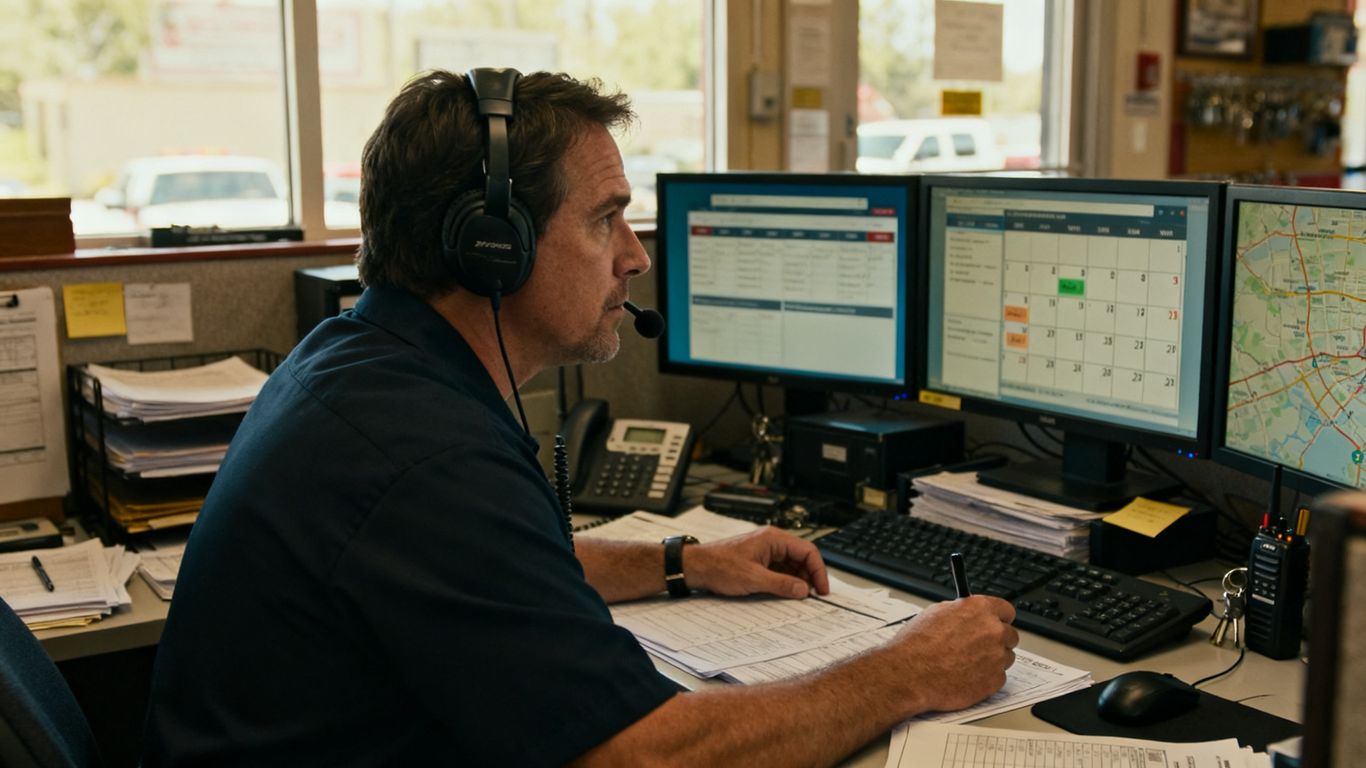
Job scheduling and real-time calendar management
A useful calendar should show appointments, open capacity, job status, and changes as they happen. Drag-and-drop scheduling can help an office coordinator respond to urgent calls, but only if the calendar also prevents double-booking and preserves important job details. Look for configurable statuses such as new, confirmed, en route, on site, completed, and cancelled.
Test the calendar with a realistic day rather than a blank demo account. Add an emergency call, move a scheduled appointment, assign a second technician, and check what the customer and field team can see after each change.
Dispatching, GPS tracking, and technician communication
Dispatch tools should give coordinators a clear view of who is available, where technicians are working, and which jobs need attention. GPS visibility can support route decisions and more accurate arrival windows, while in-app notes or messaging can keep job details in one place. These features are most useful when they reduce phone calls rather than simply adding another screen.
Ask whether technicians can update status from the field and whether the office sees those updates immediately. A practical dispatch efficiency guide covers the relationship between scheduling, live tracking, technician time, and cancellation prevention.
Estimates, invoices, mobile payments, and receipts
The payment workflow should begin before the job when a deposit is appropriate and continue through estimates, approvals, final invoices, and receipts. Check whether technicians can create or update an estimate from a phone, capture approval, accept payment, and send documentation without returning to the office. Confirm which payment methods are supported and where transaction fees appear.
For businesses focused on commitment before dispatch, PreDispatch describes a payment-before-dispatch system that sends a Stripe-secured payment link by SMS or email, confirms the dispatch, and supports quotes and invoices. Treat that workflow as one option to test against your own policies and customer expectations.
Customer records, notes, photos, and service history
A customer record should give the office and technician enough context to serve the caller without asking the same questions repeatedly. Useful information may include addresses, access instructions, prior work, estimates, invoices, notes, and job photos. Make sure the system handles multiple locations and households without creating duplicate records.
Photos and notes also support better handoffs. Before buying, check how records are searched, exported, retained, and restricted. The mobile automotive locksmith checklist is a helpful reminder that service scope and equipment details can affect what information technicians need in the field.
Use scheduling and dispatch tools to improve response times
Response time starts before a technician drives anywhere. It includes intake, job qualification, assignment, customer confirmation, and the handoff from office to field. Good dispatch software makes those steps visible, so a coordinator can act on exceptions instead of reconstructing the day from calls and text messages.
Match jobs to technician skills, location, and availability
Create a practical skill and availability profile for each technician. Include the services they perform, areas they cover, current workload, and any scheduling restrictions. When a lockout arrives, the best assignment is not always the nearest vehicle; it is the technician who can complete the work with the right capability and a realistic arrival window.
Keep the rules understandable. Dispatchers should be able to override an automatic suggestion when safety, customer history, or job complexity calls for judgment. A system that hides its assignment logic can slow the team down during an emergency.
Reduce travel time with route planning and job visibility
Route planning works best when the calendar contains accurate job locations, service windows, and current technician status. Give dispatchers a view of completed, active, delayed, and unassigned jobs. That makes it easier to group nearby work and spot a technician who can take an urgent request without creating a late arrival elsewhere.
Do not promise narrow arrival times that the route cannot support. Clear windows, live status updates, and early notice of delays usually create more trust than an overly precise estimate that changes twice.
Handle emergency calls, rescheduling, and overlapping bookings
Emergency work will disrupt a neat calendar. Build a process for triage, escalation, reassignment, and customer contact before the next urgent call arrives. When an appointment must move, offer the earliest realistic alternative and record who approved the change.
A short operating sequence keeps the office calm:
- Confirm the address, service need, access details, and urgency.
- Check technician skills, location, availability, and current status.
- Give the customer a realistic arrival window and payment expectation.
- Update the job record when the assignment or timing changes.
The sequence is simple, but consistency prevents small misunderstandings from becoming missed appointments. Review it during training and revise it when the team finds a recurring exception.
Keep customers updated with automated notifications
Automated confirmations, reminders, technician-status messages, and arrival updates can reduce inbound calls and uncertainty. Set the messages to match actual job statuses, and make sure customers can reach the office when an automated update is not enough. Two-way communication is particularly useful when a customer needs to clarify access or reschedule.
Use plain language and include the information customers need at that moment: appointment window, service address, payment terms, and a way to contact the business. Automation should make the relationship clearer, not feel like a wall between the caller and the company.
Reduce cancellations with better booking and payment workflows
Cancellations often begin with weak commitment or unclear expectations. A customer may still be comparing providers, may not understand the dispatch fee, or may assume that an appointment is tentative. A good booking workflow addresses those issues before a technician spends time driving to the location.
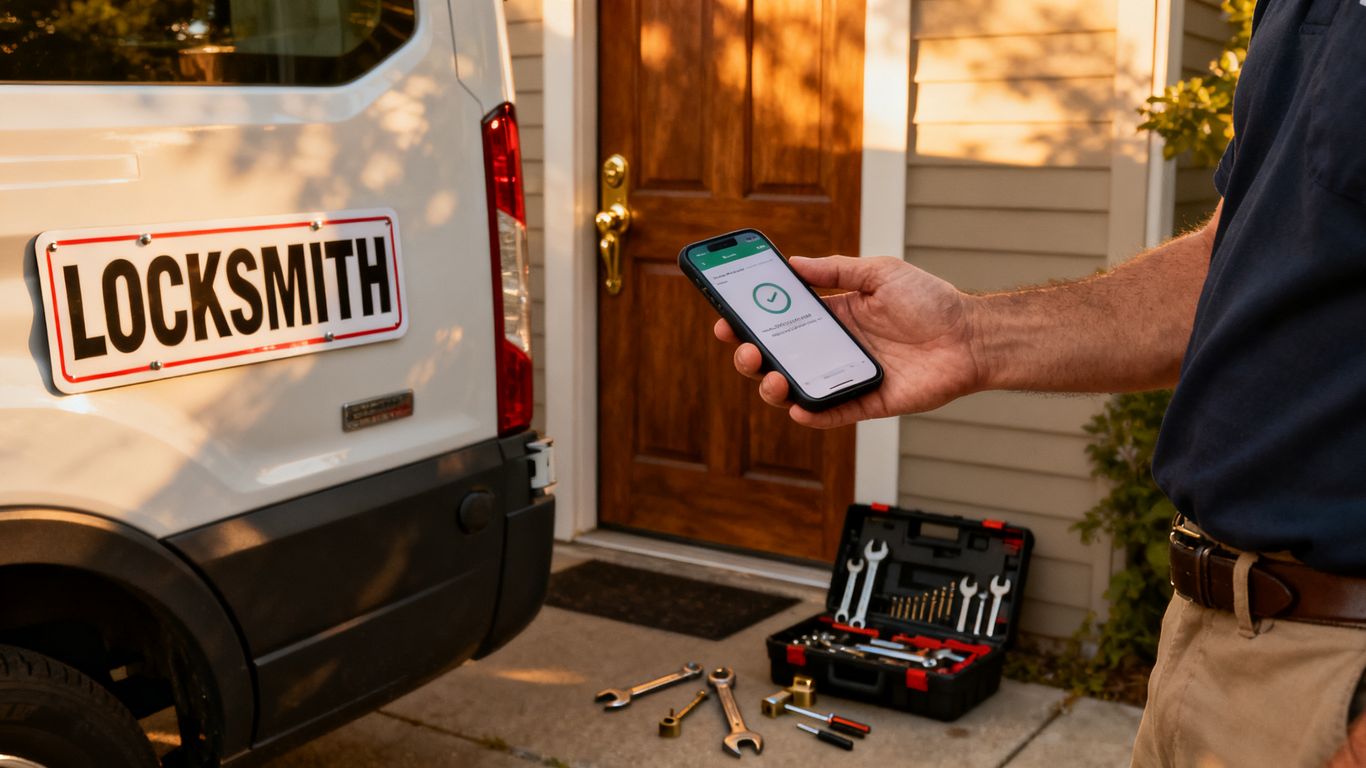
Use prepaid dispatch fees to filter low-commitment callers
A prepaid dispatch fee can confirm that a caller is ready to book before the job enters the active route. Explain what the fee covers, when it is charged, and whether it is applied to the final bill. The amount and policy should reflect your market, service type, and customer-protection obligations.
PreDispatch is positioned around collecting a payment or deposit before dispatch and describes automatic technician dispatch after payment confirmation. If you evaluate that approach, test the payment link, confirmation step, refund process, and office visibility with real booking scenarios rather than relying only on a sales demonstration.
Send confirmations, reminders, and arrival-time updates
Send a confirmation as soon as the customer books, then follow with a reminder close to the appointment. For emergency work, the timing may be compressed, but the principle remains: repeat the agreed service, location, expected timing, and payment terms. An arrival-time update should be sent when the technician status changes, not merely at a fixed time that may become inaccurate.
Measure whether messages are delivered and whether customers respond. A reminder that never reaches the customer is not a working control, so check phone numbers, opt-in requirements, failed messages, and replies that need office attention.
Set clear cancellation, refund, and no-show policies
Policies work best when customers see them before they commit. State the dispatch fee, cancellation cutoff, refund conditions, waiting time, and what happens when the technician cannot access the property. Keep the wording short enough for a text message and detailed enough to avoid surprises.
Make sure office staff apply the policy consistently. Exceptions may be appropriate, but record them so managers can distinguish customer problems from unclear rules. For broader vendor and process due diligence, this contractor evaluation guide offers a useful lens for checking terms, communication, and red flags.
Track cancellation reasons and identify preventable losses
Use a controlled set of cancellation reasons instead of allowing every employee to type a different description. Separate customer-initiated cancellations, unreachable customers, duplicate bookings, technician delays, payment failures, and jobs declined after an estimate. Review the categories weekly while the process is still new.
A simple reason table can reveal where to focus first:
| Cancellation signal | Likely workflow question | Useful response |
|---|---|---|
| Customer never confirms | Was the booking clearly confirmed? | Add a confirmation step and response deadline |
| Payment link expires | Was the payment request timely and easy to use? | Resend promptly and record failed attempts |
| Technician delay | Was the arrival window realistic? | Improve dispatch visibility and proactive updates |
| Price objection | Did the customer understand the estimate? | Explain pricing before dispatch |
The table is not a substitute for listening to customers, but it creates a consistent starting point. Over time, compare reasons by lead source, shift, service type, and technician availability to find preventable losses.
Connect locksmith software with your existing tools
Software rarely operates alone. Your phone system, payment processor, accounting package, email, and payroll process all influence whether a new platform saves time or creates duplicate work. Map each handoff before signing up, including who owns the data and what happens when an integration fails.
Integrate accounting, payment processing, and payroll systems
Confirm whether invoices, payments, refunds, fees, and technician time can move into the systems your bookkeeper already uses. Ask whether the connection is automatic, scheduled, or manual, and whether payment records can be reconciled without exporting spreadsheets every day.
Payroll deserves separate attention. If technicians are paid based on hours, commissions, or job types, verify what information the software records and what still needs review. Never assume that an accounting connection also covers payroll just because both appear in a vendor’s feature list.
Sync phone calls, text messages, email, and lead sources
The office should know where a booking came from and how the customer was contacted. Connect calls, texts, emails, web forms, and advertising sources where practical, but keep one primary customer record. Otherwise, a technician may see only part of the conversation while the dispatcher searches several systems for the rest.
Conversion tracking can help distinguish clicks from actual booked work. This conversion measurement FAQ explains why purchase intent and source-level measurement matter, even though locksmith businesses should adapt the concepts to service calls rather than online checkout.
Protect customer data with permissions and secure access
Use role-based access so staff see the information needed for their work. Technicians may need addresses, access notes, job photos, and payment status, while not every user needs financial reports or administrative settings. Require strong passwords, remove access promptly when someone leaves, and review permissions as the team changes.
Ask how data is backed up, exported, retained, and deleted. Customer addresses, property details, vehicle information, and payment records deserve careful handling, especially when several people use mobile devices outside the office.
Evaluate API availability and integration limitations
An API can be useful, but its presence does not guarantee a useful connection. Ask which objects and actions are available, whether webhooks are supported, how authentication works, and whether usage limits or additional fees apply. Also clarify who maintains the integration when either system changes.
Document the fallback process for outages. If a payment status does not sync or a message fails, staff should know how to verify the record and continue serving customers without creating duplicates.
Choose the right locksmith software vendor
Vendor selection is partly a technology decision and partly an operating agreement. Compare the daily experience, the contract, support availability, data ownership, and the effort required to change systems later. A polished demo is useful, but a realistic trial is more revealing.
Compare pricing models, contracts, and transaction fees
Calculate the monthly subscription, setup costs, user charges, payment fees, messaging fees, hardware, and support upgrades. Then estimate the cost at your current size and at the volume you expect in 12 months. Ask whether the contract renews automatically and what happens to your data if you cancel.
Do not compare prices without comparing the workflow included. A cheaper plan that leaves staff manually confirming jobs may cost more in missed calls and administrative time. A pricing and conversion guide is not locksmith-specific, but its focus on recurring costs and measured performance can sharpen this part of the review.
Review mobile usability for office staff and technicians
Have both an office coordinator and a technician complete common tasks on their own devices. They should be able to open a job, find the address, read notes, update status, capture approval, and finish payment without excessive tapping or unreliable loading. Check performance in areas with weak connectivity if your service area includes them.
Mobile usability also includes notifications and permissions. A fast app that hides critical job changes, or exposes too much customer data, is not a good field tool.
Check onboarding, training, support, and service reliability
Ask what setup requires from your team, how data is imported, and who trains dispatchers and technicians. Find out how support requests are submitted, what hours are covered, and how service interruptions are communicated. Request examples of documentation rather than accepting vague promises.
Treat vendor assessment as a practical reference check. This software buying checklist covers workflow gaps, total cost, integration mapping, rollout, and training—the areas that often determine whether adoption lasts.
Test reporting, customization, and scalability before buying
Build a trial report using the metrics you actually manage: cancellation rate, response time, technician utilization, average revenue per job, payment completion, and revenue by service type. Confirm that managers can filter by date, technician, area, and cancellation reason without exporting raw data.
Also test what can be customized without developer help. Small businesses need enough flexibility to reflect their policies, but excessive customization can make training and support harder. Choose the simplest configuration that supports the next stage of growth.
Implement locksmith software and measure results
Implementation succeeds when the team can follow the new process during a busy shift. Start with a narrow workflow, clean the data, and give people time to practice before making every job depend on the platform. The field service implementation guide provides a useful structure for migration, training, mobile adoption, and performance measurement.
Build a phased rollout plan for your team
Begin with the core path: intake, booking, confirmation, dispatch, status update, completion, and payment. Pilot it with one dispatcher or service area, then add more users after the team can handle normal exceptions. Keep the old process available briefly for recovery, but set a firm date for retiring duplicate entry.
Assign an owner for decisions and a second person for day-to-day questions. Capture problems in one shared log, prioritize those that affect customer commitments, and avoid changing several workflow rules at once.
Standardize job statuses, workflows, and customer messages
Write down what each status means and who is responsible for changing it. For example, “confirmed” should mean the customer accepted the appointment and payment terms, while “en route” should mean the technician has actually started travel. Shared definitions make reports more trustworthy.
Prepare message templates for booking confirmation, reminders, delays, arrival, cancellation, refund, and completion. Have staff review the templates for clarity and tone before enabling automation. If customers can respond, define who monitors those replies.
Train technicians on mobile scheduling and payment tools
Training should use real-looking jobs, not only a feature tour. Have technicians open an assignment, review notes, update status, attach a photo where appropriate, obtain approval, take payment, and close the job. Repeat the exercise with a changed appointment and a weak-connection scenario.
Explain why each step matters to the customer and the office. Technicians are more likely to keep records current when they can see how accurate status updates prevent unnecessary calls and make the next assignment easier.
Track KPIs such as cancellation rate, utilization, and revenue per job
Choose a baseline period and review results at consistent intervals. Track cancellation rate by reason, response time, time to dispatch, technician utilization, average revenue per completed job, payment completion, and repeat contact volume. Avoid judging the rollout from one unusually quiet or busy week.
Compare results with the workflow changes you made. If cancellations fall but payment failures rise, the booking process needs more work. If utilization improves but arrival times worsen, the team may be accepting too many jobs without enough route capacity. Use the evidence to adjust the process rather than adding features by default.
Conclusion
The best locksmith software is the platform your team can use consistently when calls are urgent and schedules change. Define the problem first, test the complete booking-to-payment workflow, and choose tools that make commitments, dispatch, communication, and measurement clearer. A phased rollout and regular review will do more for cancellation control than a crowded feature list.
Frequently Asked Questions
What is locksmith software?
Locksmith software is a field service platform used to organize customer requests, schedules, dispatching, job records, technician updates, estimates, invoices, and payments. The exact features vary, so businesses should compare them with their own workflow.
Can locksmith software reduce cancellations?
It can support cancellation reduction by confirming appointments, collecting deposits where appropriate, sending reminders, providing arrival updates, and recording cancellation reasons. Results depend on the policies and processes the business actually adopts.
Should a locksmith business require payment before dispatch?
A prepaid dispatch fee may help filter low-commitment bookings, especially for emergency calls. The business should explain the fee, refund terms, and how it applies to the final bill before the customer confirms.
What features matter most for a small locksmith team?
Small teams usually benefit from a clear calendar, fast dispatching, mobile job access, customer history, estimates, invoices, payment collection, notifications, and useful reporting. Ease of use is often more valuable than a long list of advanced features.
How should a locksmith business compare software pricing?
Compare subscription charges with setup fees, user limits, messaging costs, payment processing fees, hardware, support, contract terms, and data-export conditions. Estimate total cost at both current and expected job volume.
How long does implementation usually take?
Implementation time depends on team size, data quality, integrations, and workflow complexity. A focused rollout of booking, dispatch, status updates, and payment can begin before every optional feature is configured.
Which metrics should managers review after launch?
Review cancellation rate, cancellation reasons, response time, time to dispatch, technician utilization, revenue per completed job, payment completion, and repeat customer contact. Compare each metric with a baseline and examine trends rather than isolated results.