
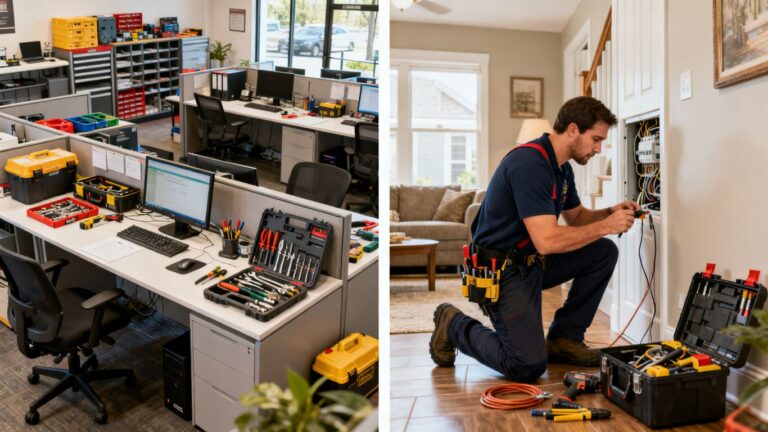
Key Takeaways
Here is how dispatch software improve response times in the field: modern operations rely on specialized technology for complex scheduling. By shifting away from manual processes and collecting payment up front, companies get the right tech rolling to real customers faster.
- Automation removes the need for manual record-keeping and data entry.
- Real-time GPS tools significantly shorten the time spent on the road.
- Centralized communication ensures that the office and the field stay perfectly synchronized.
- Better visibility into workload helps prevent scheduling conflicts and employee burnout.
- Clearer customer updates reduce the volume of inbound status calls.
How Automated Scheduling Helps Dispatch Software Improve Response Times
Manual dispatching often creates bottlenecks that prevent businesses from reacting quickly to new service requests. By leveraging software, dispatchers can move away from memory or spreadsheets and rely on logic that prioritizes availability and specific expertise. This shift creates a predictable, efficient workflow that scales as the business grows.
Matching technician skills to job requirements
Effective dispatching ensures that the person arriving at a site has the exact tools and certifications required for the repair. Systems look at the database of technician qualifications to assign the best possible match for every appointment, which increases the likelihood of a successful fix on the first visit.
Reducing manual entry and administrative downtime
Administrative tasks consume hours that could be spent on higher-value customer service work. Implementing a system like PreDispatch helps owners manage operations by cutting down the time teams spend on repetitive data entry, ensuring that critical information flows automatically from the initial call to the completed invoice.
Handling urgent schedule adjustments in real time
When unexpected emergencies arise, the software provides an immediate overview of which team members are available to pivot quickly. Instead of making dozens of phone calls, dispatchers can view live status updates to fill urgent gaps without disrupting the entire day’s plan.
Real-time GPS tracking and route optimization
!Technician driving on a modern city street
Advanced mapping features integrated into FSM software allow managers to see exactly where technicians are throughout the day. This visibility transforms how the business handles geographical challenges, turning scattered appointments into a streamlined route that saves time and fuel. With constant monitoring, coordinators make smarter decisions about when to send a technician to the next site, which helps dispatch software improve response times on every route.
Minimizing travel time between appointments
Route optimization algorithms analyze the distance between job sites and current traffic conditions to suggest the most efficient sequence. When technicians take the most direct path between calls, they maximize their productive hours and minimize the time spent sitting in traffic.
Factoring in traffic patterns and road conditions
Modern systems account for live traffic updates and seasonal construction projects that typically delay travel. By integrating these data points, companies provide realistic arrival times that they can actually meet, building greater trust with their customer base.
Redirecting the nearest available technician to priority jobs
When a high-priority job hits the queue, the dispatcher needs to know who is the closest professional ready to work. Real-time geolocating allows for immediate dispatching of the nearest employee, ensuring that urgent requests are met using efficient dispatching strategies designed for agility.
Seamless communication between the office and the field
!Tablet showing field job details on site
Information gaps typically cause the largest delays in the service cycle. When everyone uses a shared digital platform, the office gains constant sight of progress, and technicians carry all necessary customer context in their pockets. This constant loop eliminates the need for manual check-ins, keeps operations moving forward, and helps dispatch software improve response times across the team.
Providing instant mobile alerts and job status updates
Technicians receive immediate alerts regarding new jobs or modifications to existing ones through a mobile interface. This eliminates the uncertainty that comes with voice-only communication and ensures everyone is working from the same information at all times.
Sharing relevant customer history and job site data automatically
Access to full service histories and past notes ensures that field teams understand the scope of a job before they even arrive. Having this data ready means they can diagnose issues faster and avoid unnecessary delays caused by missing information.
Centralizing documentation to eliminate information silos
Digitizing documents creates a single source of truth for every job, from pre-site photos to signed receipts. When the office team can view everything in one place, they spend significantly less time hunting for files and more time supporting the technicians in the field.
Visibility into technician capacity and workload
Understanding the actual bandwidth of your workforce is the difference between a busy team and a burned-out one. By visualizing current and projected schedules in one place, owners make better decisions about hiring and assignment. This level of oversight ensures that no technician is overwhelmed while others remain underutilized.
Managing real-time bandwidth to prevent scheduling conflicts
| Employee | Current Status | Capacity Level |
|---|---|---|
| Technician A | Active | 90% |
| Technician B | Available | 20% |
| Technician C | En Route | 40% |
Using capacity tables helps dispatchers see who is available at a glance. By maintaining this balance, companies keep their employees productive without risking the quality of work that occurs when a team is spread too thin.
Identifying underutilized resources to speed up assignment
There are clear moments where a technician might be sitting idle due to a cancellation or early finish. Software acts as an alert system, helping dispatchers quickly fill these gaps with overflow work or urgent maintenance requests.
Using predictive analytics to anticipate future staffing needs
Historical trend analysis allows companies to look ahead at busy seasons and prepare accordingly. When businesses know which periods require more hands on deck, they can adjust staffing levels long before a scheduling crisis happens.
Customer-facing updates and status notifications
!Customer checking phone for service arrival
Communication is a vital part of the service experience for the client, yet many businesses still rely on manual calls to confirm arrival times. Automating these notifications provides peace of mind while significantly reducing the administrative burden on the dispatch team. By keeping clients informed, the business sets expectations, cuts no-shows, and helps dispatch software improve response times on real jobs.
Providing accurate appointment windows to reduce overhead
Narrowing the window of arrival allows customers to plan their days, which means technicians have a higher success rate when arriving at a site. When customers know when to expect service, the frequency of rescheduling or cancelled appointments often drops dramatically.
Enabling live tracking links for arriving technicians
Customers appreciate the transparency of seeing a map view of their arriving professional. This feature provides a modern, professional experience that mirrors the convenience of today’s most popular delivery apps, increasing overall satisfaction.
Decreasing inbound status calls that distract the dispatch team
Many companies find that they receive dozens of daily calls simply asking when a technician will arrive. By automating these updates, dispatchers are freed up to focus on complex coordination instead of answering the same question repeatedly.
Data-driven performance analysis
Refining operations requires looking at the numbers behind the daily tasks to see what is working and what is not. By examining core metrics, business owners identify which parts of their dispatch management software usage are yielding the best results. Continuous evaluation allows for a cycle of improvement that is backed by data instead of guesswork.
Tracking key metrics like mean time to respond (MTTR)
Measuring the time from when a call is received to when a technician is on-site provides a benchmark for performance. Improvements in this area are usually linked to better routing and automated task assignment, serving as a clear indicator of overall operational health.
Identifying common bottlenecks in the current dispatch workflow
Periodic reviews help managers find where delays happen most often, such as during the commute or during administrative sign-off before a job is marked complete. Once these points are identified, they can be re-engineered for better flow.
Using historical reports to continuously refine scheduling strategies
Historical reports provide the context needed to adjust policies on everything from overtime usage to territory management. By looking at what happened in previous quarters, teams learn to optimize their future scheduling tactics for better reliability and profitability.
Conclusion
Improving response times is not just about moving faster, but about creating an intelligent, informed workflow that minimizes wasted effort for both the technician and the customer. By leveraging technology to handle the complexities of dispatch, scheduling, and communication, service businesses can significantly elevate their performance, ensuring that resources are utilized effectively and customer expectations are consistently met.
Frequently Asked Questions
What are the main benefits of using dispatch software?
Dispatch software centralizes complex tasks regarding scheduling, location routing, and customer communication. By automating these areas, businesses reduce human error, shorten travel times, and allow their teams to focus on providing high-quality service rather than managing administrative load.
How does software help with technician availability?
Software provides an instantaneous view of every technician’s status, location, and capacity in one dashboard. This visibility allows dispatchers to make informed decisions about who is best suited for each individual job, reducing conflicts and ensuring that the right person is assigned every time.
Can dispatch tools help with unexpected schedule changes?
Yes, these systems are built to handle real-life interruptions like traffic, cancellations, or emergency calls efficiently. Because they provide real-time updates and GPS tracking, dispatchers can quickly re-route team members or adjust appointments without having to call everyone individually.
How does digital communication improve customer retention?
Transparency is a core factor in customer satisfaction. When clients know exactly when a technician will arrive, they are less likely to experience frustration from missed windows or lack of updates, which directly contributes to higher levels of trust and repeat business.
Is it difficult to integrate dispatch software into a small business?
Modern platforms focus on ease of use and quick implementation even for smaller teams. They are designed to be intuitive, ensuring that owners and dispatchers can start seeing benefits like reduced scheduling time almost immediately.
Which metrics should I track to improve my operations?
Tracking the mean time to respond (MTTR), total travel time, technician utilization rates, and first-time fix rates will give you a clear picture of your business performance. These data points help you understand where your strengths are and which operational areas require improvement.
How do automated notifications change the dispatch office environment?
Automated notifications drastically reduce the number of inbound status calls from customers. This change lowers the disruption to the dispatch team, allowing them to focus on high-level strategy and complex troubleshooting rather than performing rote communication tasks.