

Key Takeaways
Optimizing your mobile operations requires the right tools to connect dispatchers, technicians, and customers in real time. Implementing a smart operational workflow protects your bottom line and improves overall performance.
- Automated scheduling transforms dispatching by replacing chaotic manual tracking with structured digital workflows.
- Digital tools significantly boost first-time fix rates through instant accessory and inventory tracking.
- Upfront deposits and automated customer filters drastically reduce last-minute cancellations and protect technician drive time.
- High-quality mobile interfaces ensure remote technicians adopt the platform quickly with minimal training overhead.
- Secure handling of customer details, both online and in offline mode, mitigates major compliance and data privacy risks.
Understanding core components of field service management solutions
Successfully managing a deskless workforce requires a dedicated digital infrastructure that binds remote technicians with central dispatch offices. Many growing trade firms struggle with missed appointments, lost invoices, or mismatched spare parts. Transitioning to modern field service management solutions provides a centralized dashboard designed to bring consistency and administrative relief to daily operations.
Automated scheduling and dispatching workflows
Automated scheduling replaces the traditional whiteboard or chaotic spreadsheet with dynamic digital logic. When a client books a service call, the system instantly cross-references technician locations, specialized skill sets, and current travel times to schedule the most suitable team member. This reduces unnecessary driving and keeps promises to customers.
Real-time technician tracking and communication
By feeding geographical data directly into dispatch interfaces, administrators can monitor where vehicles are throughout the day. This degree of transparency allows dispatchers to handle unexpected emergencies by rerouting the closest available worker immediately. Field communication tools keep technicians and back-office staff fully aligned without constant phone tag.
Inventory management and spare parts tracking
To ensure field operations run smoothly, back-office coordinators must maintain a clear view of warehouse shelves and individual truck stock. Real-time parts tracking prevents situations where a technician drives out to a remote location only to discover they lack a basic filter. If you are sourcing materials or coordinating wood products, referencing options like Australian hardwood species shows how crucial precise material specifications are under tight operational constraints.
Integration with CRM and accounting platforms
Connecting your mobile systems to existing business platforms reduces manual entries and prevents clerical mistakes. Financial transparency increases when a signed work order automatically populates your accounting ledger. Integrating these platforms ensures that client notes, historical invoices, and job histories remain unified, giving technicians a complete picture during every service call.
Benefits of digital transformation in field operations
Moving away from paper invoices and manual logbooks dramatically changes how a company operates on the ground. Eliminating antiquated paper records reduces clerical workloads while giving business owners the clear field visibility they need to scale.
Reducing human error in manual scheduling
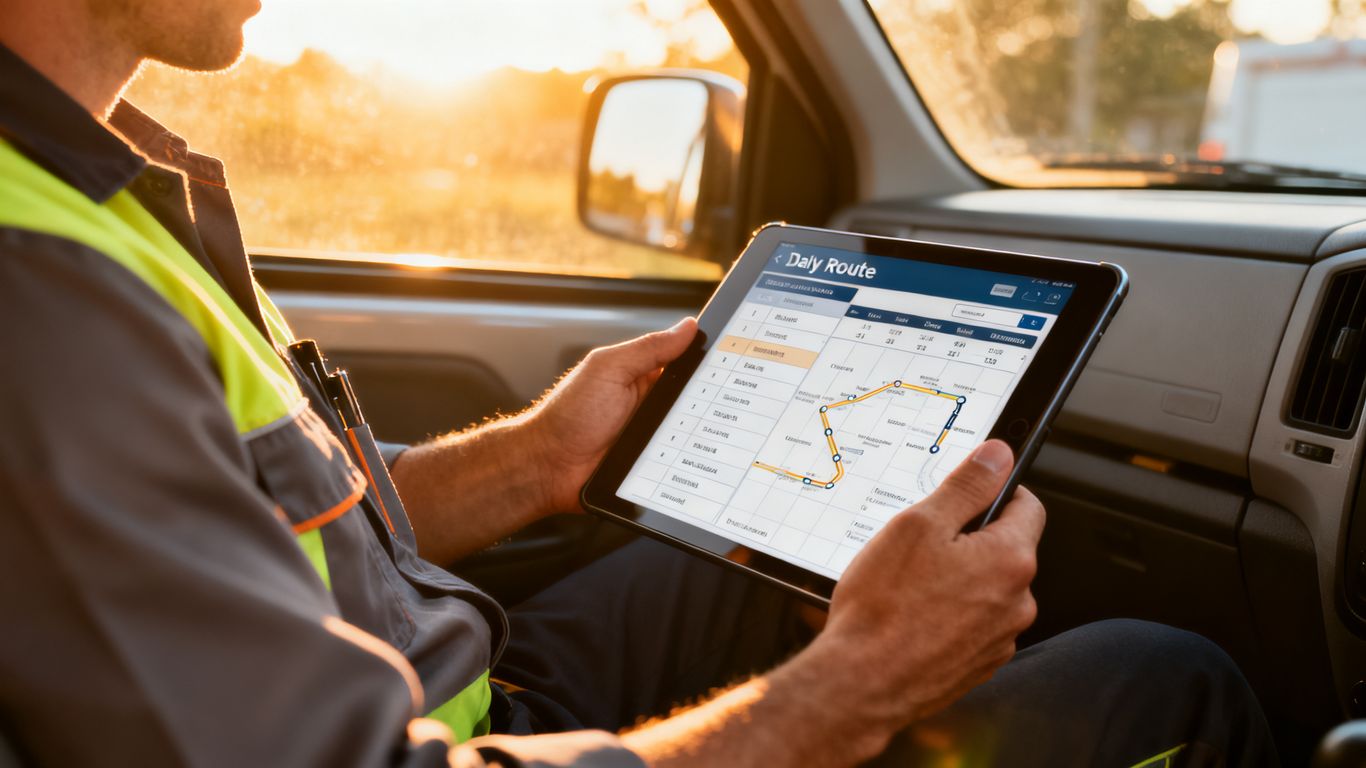
Manual routing relying on memory or basic shared calendars often results in double-bookings and late arrival windows. Transitioning to a digital alternative helps eliminate scheduling overlapping. Automated validation rules check technician availability and skills before a job is booked, keeping planning errors to an absolute minimum.
Increasing first-time fix rates
First-time fix rates measure how regularly a technician solves an customer’s issue during the very first visit. By using custom forms, managers can outline clear field processes to gather crucial diagnostics before dispatch. For companies that design physical workflows or client intake forms, learning how to create fillable PDFs can serve as an excellent design reference for structured document collection.
Improving technician productivity and labor utilization
Reducing dead time spent sitting in traffic or waiting for dispatch updates helps service businesses maximize productive billing hours. When routing paths are dynamically optimized, technicians spend more time on-site completing actual repairs. Improved labor utilization translates directly into increased daily service capacity without hiring more staff.
Enhancing customer transparency and site arrival notifications
Modern customers expect the same live logistics updates they get from delivery apps. Digital platforms automatically ping homeowners with a technician’s real-time ETA and photo. This proactive transparency builds trust, reduces customer service inquiries, and ensures residents are actually home to let the expert inside.
Key Features to Prioritize for Revenue Protection
For service providers, protecting cash flow is just as vital as finding new leads. Last-minute cancellations, missed appointments, and unpaid invoices directly threaten daily profitability. Modern software must actively secure your payments and optimize resource commitment.
Prepaid dispatch and automated cancellation filters
Cancellations pose a massive financial risk for plumbing, towing, and HVAC businesses. When a business relies on PreDispatch, they utilize software built around commitment to collect deposits or full payments before any vehicle rolls. This crucial filter weeds out low-commitment callers, securing upfront customer commitment on every dispatch, which slashes last-minute cancellations. Integrating these billing steps ensures your team’s valuable travel time is fully protected.
Real-time invoicing and mobile payment processing
Waiting long weeks to mail physical invoices and process checks delays vital organic cash flow. Empowering technicians to generate digital work orders and swipe cards directly on-site accelerates accounts receivable. To keep your cash flow healthy, you can start a free trial of specialized billing software that integrates on-the-spot payments directly into mobile workflows.
Automated customer reminders and status updates
Automated communication minimizes the administrative workload of manually calling clients to confirm appointments. Sending a short text or email 24 hours prior prevents forgotten bookings. By keeping customers updated in real time, businesses prevent costly secondary visits caused by simple customer no-shows.
Performance analytics and technician KPI tracking
Analyzing business metrics helps pinpoint which technicians work efficiently and which need extra guidance. Tracking average travel times, job duration, and invoice values provides managers with actionable performance insights. The table below outlines standard performance metrics that service operations track to ensure accountability.
| Metric Name | Calculation Method | Ideal Target Reference | impact on Revenue |
|---|---|---|---|
| First-Time Fix Rate | (Jobs resolved on first visit / Total jobs) * 100 | Above 80% | Reduces fuel costs and truck wear |
| Drive Time per Job | Total hours driven / Completed work orders | Under 25 minutes | Maximizes billable field hours |
| Customer Hold Time | Average pickup duration for incoming bookings | Under 60 seconds | Captures urgent bookings quickly |
Reviewing these data points regularly allows business owners to realign resources and reward top performers on the team.
Evaluating field service management solutions for your specific industry
Not all digital tools fit every business scenario. A busy towing service has very different response needs than an HVAC company scheduled for complex commercial installations. Making an informed choice prevents expensive migration issues down the line.

Assessing mobile accessibility for remote technicians
Because technicians work under diverse conditions, a mobile app must be fast, reliable, and functional. Whether they are driving a tow truck or climbing up to a roof, technicians need a straightforward app that does not require deep technical knowledge. For example, gamers who optimize systems using a PC gaming guide know that hardware resource management matters; similarly, a field app must operate smoothly without draining cell phone batteries.
Scalability requirements as your service volume grows
Software that works perfectly for a two-person team might break down when managing twenty technicians across multiple towns. Investing in scalable field service management solutions prevents the costly headache of migrating systems multiple times as your operations expand. Look for platforms that support adding trucks and advanced territories seamlessly.
User interface complexity and employee training needs
If software is too complex to navigate, employees will resist using it, leading to inaccurate data entry. A clean, minimal layout ensures workers can view schedules and log completed tasks with just a few quick taps. Group training sessions help ease the transition, similar to how Synergy Oviedo Chiropractic organizes educational health lectures to help groups adopt healthier daily physical habits.
Support for industry-specific compliance and certification tracking
Certain service fields mandate strict compliance, licensing verification, or environmental certifications. Your platform should safely store these records and warn dispatchers if they assign an unlicensed employee to a high-risk job. Keeping compliance digitized protects the business from costly legal liabilities and building inspector fines.
Deployment and change management strategies
Successfully deploying new software is as much about managing human relationships as it is about technology. Even the best platform will fail if technicians refuse to use it. A thoughtful implementation strategy ensures team-wide adoption with minimal business interruptions.
Defining business processes before software adoption
Before loading customer data into a new platform, align your team on your actual, real-world processes. Mapping out exactly how service requests move from booking to final invoice prevents confusing workflows inside the software. Having these clear rules keeps the system organized from day one. Let’s look at the standard steps modern teams take when preparing for structural changes:
- Review all paper forms and identify redundant fields.
- Design clean digital layouts that mimic proven physical steps.
- Establish clear procedures for collecting customer signatures on-site.
- Define exact financial rules outlining when deposits or card transactions are required.
Documenting these processes in writing gives your staff a handy reference guide to follow during the software transition.
Managing technician pushback during the transition period
Technicians value their independence and might initially view tracking software as micromanagement. Frame the transition around how the software makes their daily life easier by eliminating frustrating paperwork. Highlighting how optimized routing cuts down on unproductive traffic delays helps get stubborn workers on board.
Choosing between phased rollout and full platform migration
Moving your entire company to a new system overnight can cause major operational confusion. A phased approach involves testing the platform with a small group of dispatchers and techs first before launching it company-wide. This allows your team to iron out workflow kinks in a controlled environment.
Measuring immediate success through pilot program metrics
Use your pilot phase to track practical metrics like user adoption rates, average customer booking times, and dispatch errors. Comparing this data to prior months proves the system’s benefits. Identifying struggles early on lets you tweak training before deploying the tool broadscale.
Mitigating security and data privacy risks
As service companies collect highly sensitive data, they must prioritize protecting that information from unauthorized access. A single data breach can permanently destroy customer trust and create huge legal liabilities. Managing security is a core component of running a successful modern service business.
Protecting customer information in transit and at rest
Every time a technician collects a customer’s address or credit card details, that sensitive data must be strongly encrypted. Utilizing secure frameworks keeps payment details hidden from hackers. If you want to understand how standard businesses manage digital data security, reviewing a generic Mobile App Privacy Policy provides a clear look at strict compliance standards.
Managing granular user-level permissions and system access
Avoid giving every single employee complete access to your customer databases and financial spreadsheets. Implement restrictive user-level permissions to ensure technicians only see the specific daily schedules they need. This compartmentalization protects customer privacy and prevents accidental deletions.
Ensuring data integrity during offline synchronization
Technicians frequently work in basements, rural fields, or metal buildings with zero cell service. Modern field tools must record details offline and sync seamlessly when reconnecting. Smart synchronization prevents data conflicts and keeps your database completely accurate.
Evaluating vendor-side data residency and backup protocols
When cloud platforms store business databases, realizing where that server physical resides acts as the foundation of secure operational planning.
Confirm that your chosen software vendor maintains secure server architectures and reliable daily backup schedules. Knowing you can restore deleted files within minutes prevents catastrophic data loss. Thoroughly vetting these IT standards ensures your business remains resilient against system errors.
Conclusion
Selecting and utilizing the best field service management solutions requires a careful evaluation of scheduling features, automated dispatching, payment protections, and user accessibility. By focusing on smart software implementations like PreDispatch to reduce last-minute cancellations and collect payments upfront, field service businesses can protect their hard-earned revenue. Aligning your field operations with modern security standards and seamless mobile features ensures long-term operational success.
Frequently Asked Questions
What are field service management solutions?
They are software systems designed to help businesses coordinate operations that occur outside company premises. These systems organize central dispatching, scheduling, fleet tracking, parts inventory, and mobile customer invoicing.
Why does upfront payment protection helper lower cancellations?
Requesting a deposit or dispatch fee before sending a technician ensures that the customer is committed to the scheduled slot. It prevents callers from booking multiple providers and simple cancellation when another company arrives first.
How does mobile accessibility affect software adoption?
If the field application is too complicated, technicians will refuse to log their hours or track inventory. A simple mobile interface with offline storage ensures technicians adopt the software quickly and reliably.
Can field service software run without a cell signal?
Yes, high-quality field solutions feature offline modes that log job updates and customer signatures. The platform then uploads and synchronizes this saved information once a cellular network connection is re-established.
What are the main benefits of automated dispatching?
Automated dispatching reduces scheduling conflicts by analyzing technician skill sets, routing distances, and current workloads. It minimizes windshield time and allows businesses to schedule more jobs within a normal workday.
Why is CRM integration important for service businesses?
Connecting dispatch systems to your CRM ensures that consumer profiles, complete repair histories, and billing metrics are unified. It allows office employees and on-site techs to view the same customer details.
How do automatic reminders improve site arrival rates?
Sending computerized text messages or email alerts to customers before appointments significantly reduces no-shows. It gives clients a simple way to reschedule if a conflict arises, preventing wasted drive time.